Pick a template below and click Use in Google Docs: Google asks you to make a copy, and the copy is yours to edit. All three are single-column, one page, with no tables or text boxes, so the text reads in order when an employer's system parses it. Google Docs also has five built-in resume templates (Swiss, Serif, Coral, Spearmint, Modern Writer) in its Template gallery.
3 free Google Docs resume templates
Each button opens the file in Google Docs with a Make a copy prompt. Nothing is shared back to us: your copy lives in your own Drive. The sample person and numbers are invented; replace them with yours.
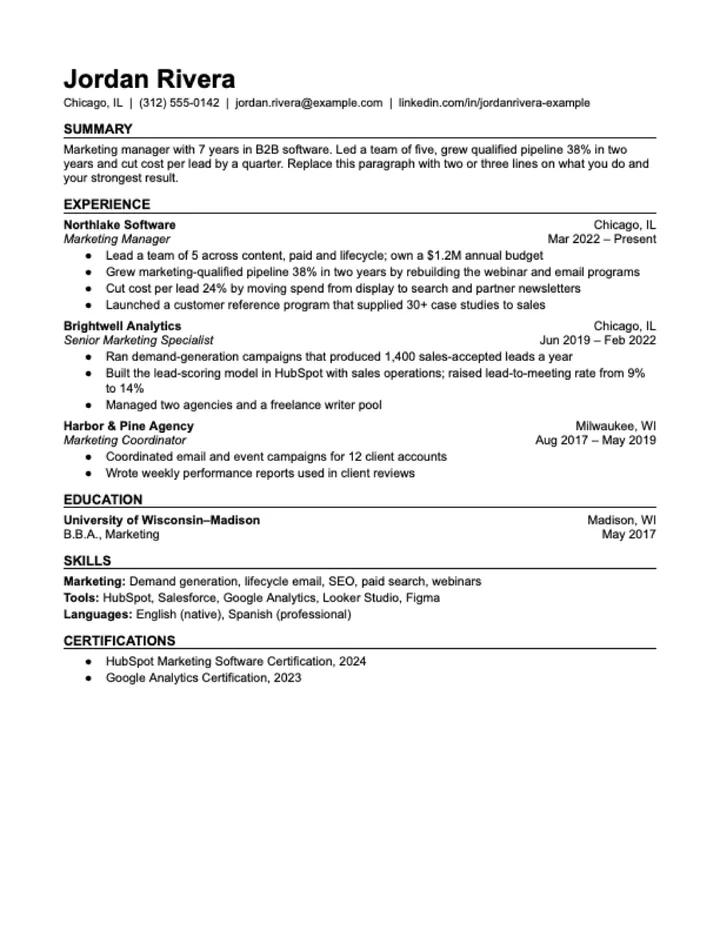
Classic ATS
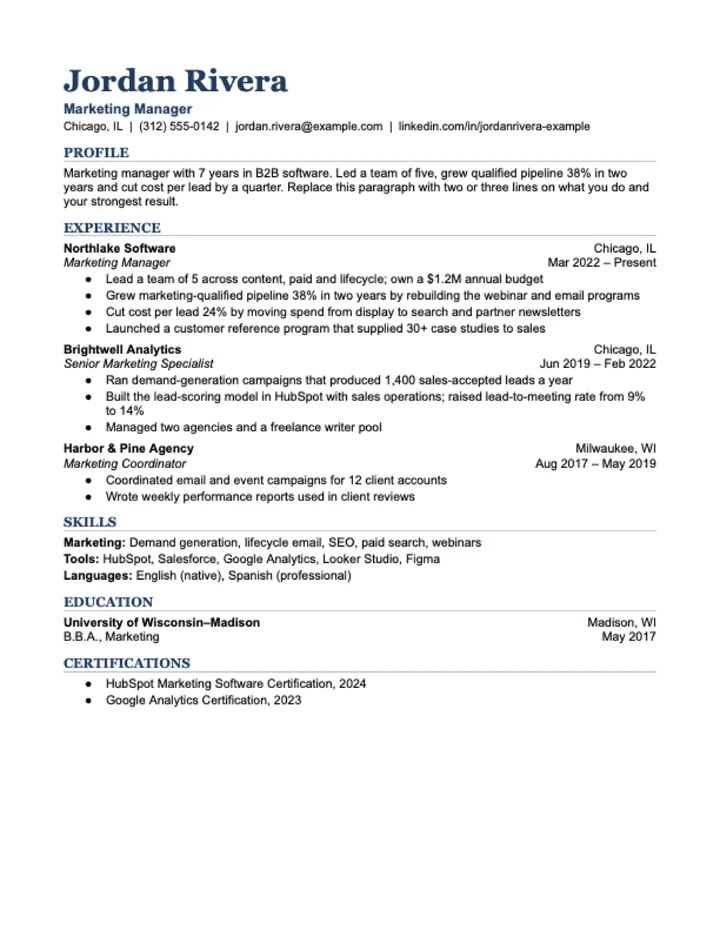
Modern Accent
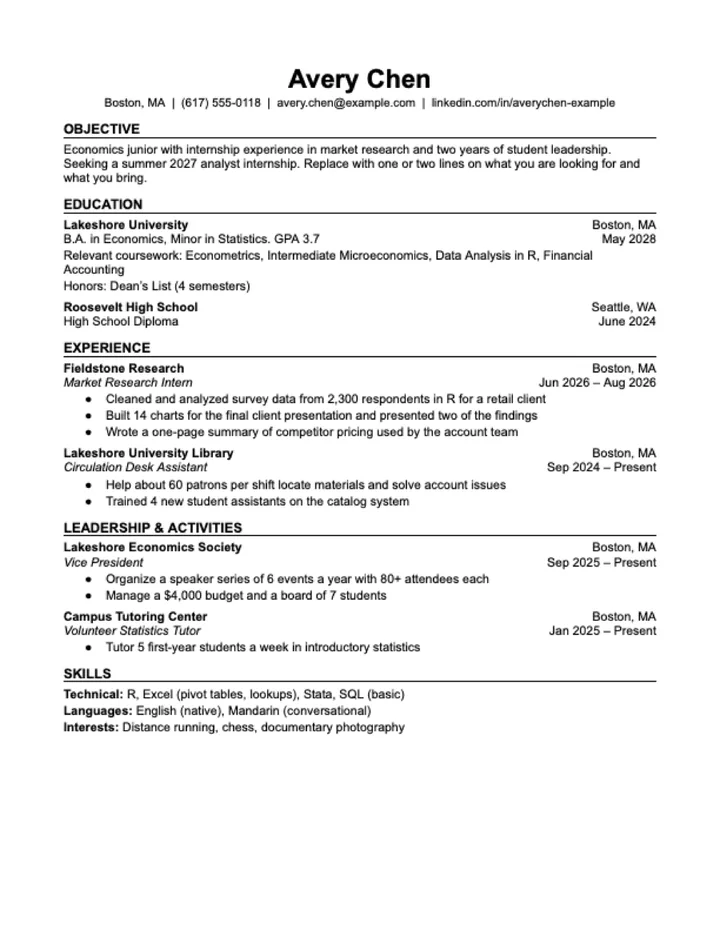
Student and Entry-Level
Which one to pick
| Template | Font | Sections, in order | Best for |
|---|---|---|---|
| Classic ATS | Arial 10.5 pt | Summary, Experience, Education, Skills, Certifications | Any industry; the safe choice for employer portals |
| Modern Accent | Georgia headings, Arial body | Profile, Experience, Skills, Education, Certifications | Most office roles when you want some color |
| Student and Entry-Level | Arial 10.5 pt | Objective, Education, Experience, Leadership & Activities, Skills | Students, new graduates, a first job or internship |
How to use a resume template in Google Docs
- Click Use in Google Docs under a template and sign in to Google if asked.
- Click Make a copy. The file opens in your Drive under your name.
- Replace the sample text. Keep the headings (Experience, Education, Skills) as they are.
- Keep dates on the right by pressing Tab once between the employer and the date. The right-hand tab stop is already set.
- When it is done, choose File → Download → PDF Document and send the PDF.
Prefer Word? Each card also has the same file as .docx. In Google Docs you can open a .docx with File → Open → Upload.
The 5 resume templates built into Google Docs
Google Docs ships its own: open the Template gallery from the Docs home screen and scroll to Resumes. There are five: Swiss, Serif, Coral, Spearmint and Modern Writer. They are free and one click to start. Before you send one through an employer portal, run the copy-paste test below, because a gallery design is chosen for looks first.
Check any Google Docs template before you apply
- Copy-paste test. Download the PDF, select all, paste into a plain-text editor. Every line should appear in reading order, with each date next to its job.
- Tables. Click inside the layout. If a Table menu becomes active, the template uses a table for its columns; some parsers read table cells out of order.
- Header and footer. Your name, phone and email belong in the body of the page, not in the document header.
- Headings. Use the standard words: Experience, Education, Skills.
The full rules, with an annotated example, are in the ATS-friendly resume guide; layouts are compared in ATS-friendly resume templates. Looking for the format Harvard's career office uses? See the Harvard resume template.
Frequently asked questions
Does Google Docs have a resume template?
Yes, five. On the Google Docs home screen open the Template gallery and scroll to Resumes: Swiss, Serif, Coral, Spearmint and Modern Writer. The three templates on this page are separate files we made; each opens with Google's own Make a copy prompt.
Are these Google Docs resume templates free?
Yes. Copying a template into your Google Drive or downloading the .docx costs nothing and needs no OneTwo Resume account. You need a Google account to make the copy, as with any shared Google Doc.
How do I use a resume template in Google Docs?
Click Use in Google Docs, then Make a copy. The copy is yours: replace the sample text with your own, keep the headings, and use File, Download, PDF Document when you are ready to send it.
Are Google Docs resume templates ATS-friendly?
It depends on the layout, not on Google Docs. A single-column file with standard headings and no tables, text boxes or images is the kind a parser reads in order. The three templates here are built that way. For any other template, export the PDF, select all, and paste it as plain text: every line should come out in reading order.
Should I send my resume as a Google Docs link?
No. Download it as a PDF (File, Download, PDF Document) and upload or attach that file, unless the employer asks for Word, in which case choose Microsoft Word (.docx) in the same menu.
Rather not format by hand?
Upload your current resume and the builder moves it into a template section by section, then rewrites weak bullets and tailors it to a job posting. The Basic template is free to build and preview; downloads and the other eight templates are Pro.