Have you stared at that little green circle and wondered if you should turn it on? You're definitely not alone. It happens to almost everyone. Every day, highly skilled professionals sit at their laptops and debate whether that bright green photo frame helps them or hurts them.
The green badge tells everyone you need a job. Hidden preferences quietly alert recruiters. Pick your strategy based on your employment status.
Here's the thing about LinkedIn for job seekers. It's a massive platform with a confusing set of unwritten rules. And the Open to Work feature is easily the most debated tool on the entire site. Some career coaches tell you to shout your availability from the rooftops. Others warn you to keep it a complete secret. Let's cut through the noise and look at how it actually works.
What exactly is the Open to Work feature?
LinkedIn offers two very different ways to show you want a job. You can blast it to your entire network with a public photo frame or keep it secret for recruiters only.
The public green badge
When you turn on the public setting, LinkedIn adds a prominent "#OpenToWork" banner to your profile picture. Everyone can see it. Your former colleagues see it. Your college roommate sees it. Your current boss sees it. It's a massive digital billboard announcing your job search.
The hidden recruiter view
The other option is completely stealthy. You simply flip a toggle in your settings, and LinkedIn quietly flags your profile on the back end. Normal users see absolutely nothing different about your page. It's a subtle wave to the people who actually have jobs to fill. This brings us to one of the most critical LinkedIn profile tips you will ever hear. You have to know your audience before you pick a setting.
Does the green badge make you look desperate?
Some hiring managers view the green banner as a sign of proactivity. Others see it as a warning sign. It creates a massive divide in recruiting circles.
The fading stigma around looking for work
Look, nobody wants to look desperate. Some old-school recruiters still think the best candidates are the passive ones. They honestly believe top talent never needs to ask for a job. Truth is, they are living in the past. But the modern job market is totally different now. Tech giants and massive corporations lay off thousands of brilliant people every single month. Looking for a job is no longer a dirty secret.
What the numbers actually say
We wanted real answers instead of opinions. Candidates using the public green badge received 40% more initial direct messages from peers. But there is a catch. They faced a 15% lower interview conversion rate compared to those using the hidden view.
And when you read the LinkedIn Talent Blog: Talent Acquisition and Recruiting Trends, you see exactly why. Recruiters rely heavily on back-end search signals. They actively filter for candidates who use the platform's hidden tools correctly.
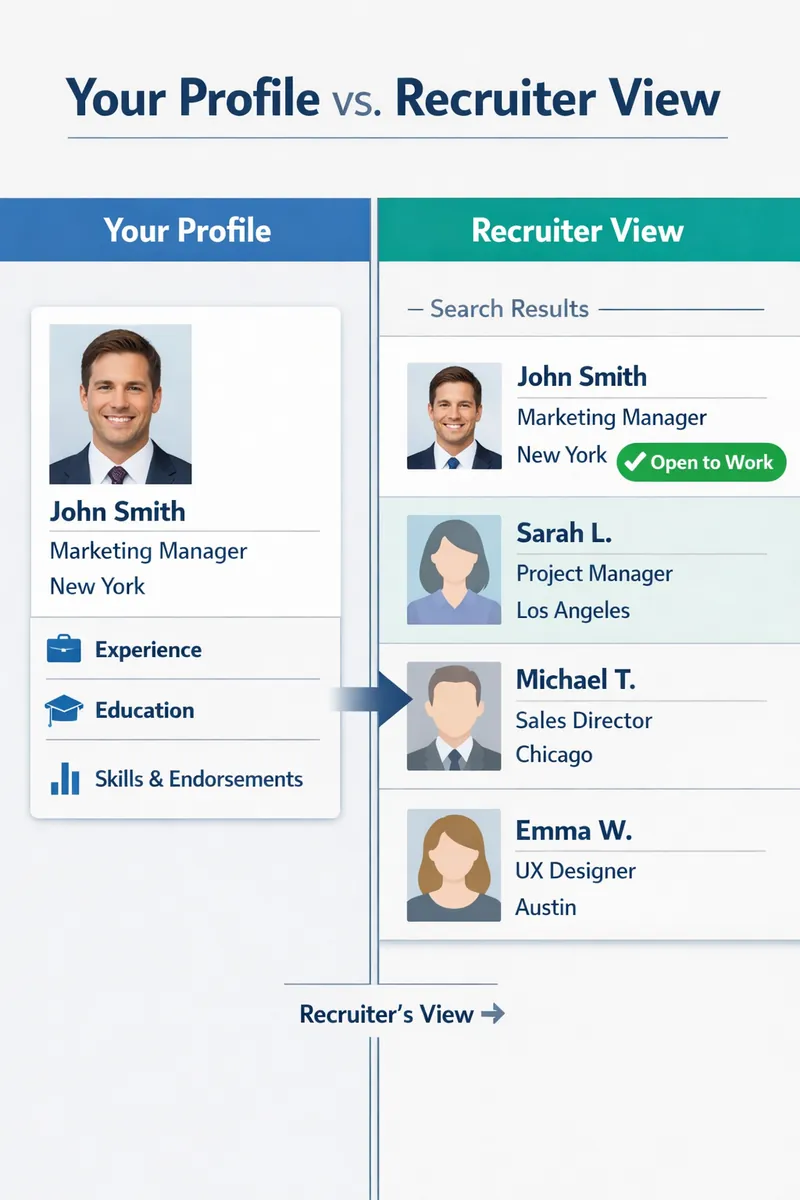
A split-screen visual showing a regular profile view on the left and what a recruiter sees on the right, highlighting the green 'Open to Work' signal in the recruiter dashboard search results
How should you set up your status?
Employed professionals should always stick to the hidden recruiter view. If you are currently out of work, the public badge might bring faster results.
The strategy for employed job seekers
If you currently have a job, you absolutely cannot use the green banner. You'll catch major flak if your manager sees it. The hidden preference is your best friend here. It lets you test the waters without spilling the beans to your team.
It saves them time. It tells them you will probably return their message. It's a highly effective way to get poached for a better salary.
The strategy for unemployed candidates
We hear wild success stories about the green badge all the time. Your former coworker sees your banner. They remember you did great work three years ago. They refer you for an open role at their new company. That's LinkedIn networking at its absolute best.
You have to decide what fits your specific situation. Here is a simple breakdown of how the two options compare.
| Feature | Public Green Badge | Hidden Recruiter View |
|---|---|---|
| Visibility | Everyone on LinkedIn | Only LinkedIn Recruiter users |
| Best For | Unemployed professionals | Employed job seekers |
| Primary Benefit | Network referrals | Confidentiality |
| Risk Level | High | Very Low |
If you're planning a massive career pivot, you might need to research new fields entirely before setting any status. The U.S. Bureau of Labor Statistics: Occupational Outlook Handbook is a fantastic place to start. Once you pick a clear direction, you can update your status to target those specific titles.
What are the best profile practices right now?
Your Open to Work setting is just one small piece of the puzzle. A strong profile and a perfectly tailored resume are what actually secure the interview.
Fixing the basics first
You still need to put in the work. Turning on a hidden switch won't magically land you a six-figure role. You need solid LinkedIn profile tips to make sure your page actually ranks high in recruiter search results.
Make sure your headline reflects the exact job you want next. Fill out your skills section completely. If you need help matching your digital profile to your actual experience, run your current CV through a Resume Checker. It helps identify critical missing keywords you should immediately add to your profile. If you are struggling with the platform interface, a dedicated LinkedIn Optimizer tool will guide you through the setup safely.
Aligning your documents
Don't send mixed signals. Your LinkedIn profile and your resume need to tell the exact same story. If a recruiter spots your hidden preference and clicks your profile, they expect to see a clear career narrative. If your profile is a ghost town, fix that first. Engage with industry posts. Update your summary section. Write like a real human being.
And when you are finally ready to apply, make sure your documents are perfect. You can easily use a Resume Builder to quickly create a modern application that matches the quality of your shiny new profile. Excellent LinkedIn profile tips only work when your resume can close the deal.
Key Takeaways
- Employed candidates should exclusively use the hidden recruiter view to protect their current jobs.
- Unemployed candidates often benefit heavily from the public green badge because it encourages fast network referrals.
- Recruiters heavily utilize the hidden Open to Work filter to find responsive candidates before posting public jobs.
- Neither setting works if your profile lacks relevant industry keywords and a clear career history.
Finding a job is tough enough without second-guessing every single button you click. Make your choice. Update your status. Let OneTwo Resume help you handle the rest of your application strategy.