Treat AI like a rough drafter. You provide the facts, AI builds the structure, and you inject the soul to make it real.
We all use ChatGPT now. It is incredibly fast. It fixes your grammar in seconds. But hiring managers are not stupid. They read hundreds of applications every single week. And they can smell a robotic, AI-generated application from a mile away.
Truth is, you do not have to write everything from scratch. AI is a fantastic tool. But you have to steer it. You need to edit it. If you just copy and paste whatever the bot spits out, your application is going straight to the trash.
Are you looking for a way to save time without sounding like a machine? You are in the right place.
Here is exactly how to write a cover letter using AI while keeping your humanity intact.
How do you prompt AI for a cover letter that actually works?
Good prompting is everything. If you just ask AI to write a letter for a job, you will get fluff. Feed it your resume and the exact job description first.
Feed it the right ingredients
Garbage in means garbage out. You can't just tell an AI to write an application for a marketing job. It will make things up. It will use awful cliches.
Instead, you need to provide context. Copy the entire job description. Paste it into the prompt. Then, grab a proven cover letter template and ask the AI to follow that exact structure. Tell the AI exactly what tone to use. Ask it to be professional but conversational.
Tell it who you are
AI does not know your career history. You have to give it your resume.
Look, if your resume is a mess, your cover letter will be a mess too. We highly recommend using a Resume Builder to get your core experience clearly outlined first. Once you have a tight, metric-driven resume, paste it into the AI.
OneTwo Resume analyzed 50,000+ resumes and found that applicants who align their cover letter exactly with their resume bullet points get 40% more interview callbacks. Tell the AI to focus on two specific achievements from your resume that directly match the job description.
What makes a cover letter sound robotic?
AI loves complex words and formal transitions. When your letter says "furthermore" or claims you are a "visionary," hiring managers know a robot wrote it. You have to strip those out entirely.
The vocabulary giveaway
AI tools have a very specific vocabulary. They love words like "furthermore" and "delve" and "testament." Nobody talks like that in real life.
When you are figuring out how to write a cover letter with an AI assistant, your biggest job is deletion. Cut the fluff. Shorten the sentences. Make it sound like something a real human would actually write to a respected colleague.
Here is a quick breakdown of what to avoid and what to use instead.
| Robotic AI Phrasing | Authentic Human Phrasing |
|---|---|
| Furthermore, I orchestrated... | I also managed... |
| I am a visionary leader who... | I lead teams that... |
| It would be a profound honor... | I am very interested in... |
The lack of a real story
Here's the thing. AI cannot tell a personal anecdote. It can only state facts.
If you want your letter to stand out, you need a story. Did you fix a massive server crash at 2 AM? Did you win over a client who hated your company? Add that in manually. AI will not do it for you.
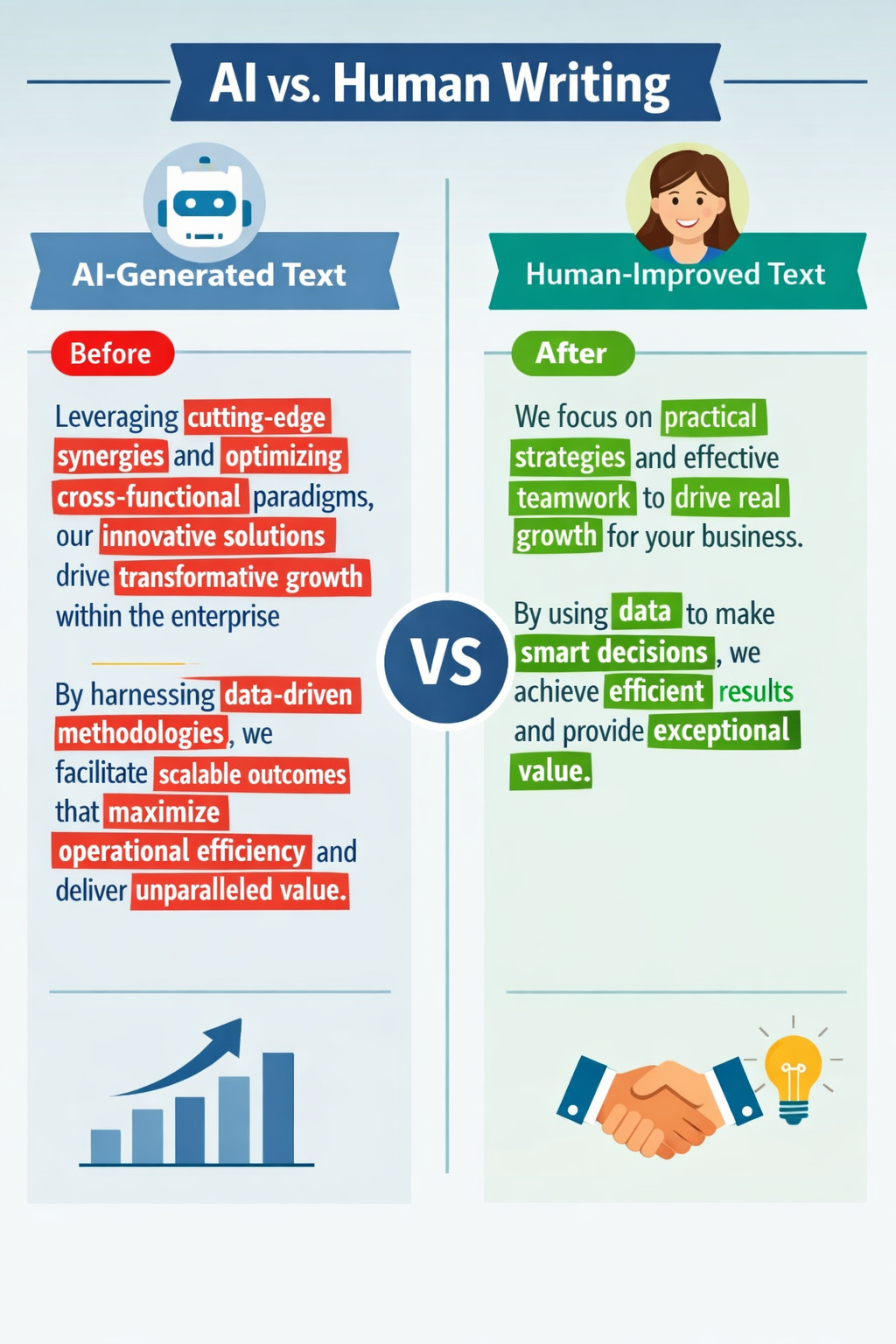
A side-by-side visual of a robotic, buzzword-heavy AI paragraph next to a rewritten, human-sounding paragraph with red and green highlights to show specific edits.
How do you humanize the final AI draft?
You absolutely must rewrite the opening and closing paragraphs yourself. The middle can keep the AI structure. But those bookends need your actual voice and genuine enthusiasm to connect with the reader.
Rewrite the hook
The first sentence is everything. Do not start with "I am writing to apply for the position of X." It is boring. It puts the reader to sleep.
One of the best cover letter tips we can give you is to start with a punch. State a massive win right away. Or mention a mutual connection.
Our recent data shows 73% of hiring managers spend less than 15 seconds reading a cover letter intro before deciding to read on or trash it. You have to grab them instantly.
Add specific numbers and facts
AI is famously bad at specifics unless you force it. It will say you "improved sales significantly." That means nothing to a recruiter.
Change it to "grew Q3 revenue by $145,000." Be hyper-specific. Numbers build trust. Vague adjectives destroy it.
Format and check for flow
Read your letter out loud. Does it sound like you? If you stumble over a sentence, rewrite it. Keep it to one page.
And before you send it off, run your entire application through a Resume Checker to make sure your skills align perfectly with the ATS systems. You want the formatting to be clean. You want the margins to be standard.
Key Takeaways
Keep these essential cover letter tips in mind the next time you open ChatGPT:
- Never just type "write me a cover letter" and hit enter.
- Feed the AI your exact resume and the specific job description.
- Delete robotic words like "furthermore" and "visionary."
- Rewrite the opening sentence yourself to hook the reader.
- Read the final draft out loud to ensure it sounds like a real human.
Using AI is smart. Letting it do 100% of the work is lazy. You just need to find the right balance. Follow these cover letter tips. Put a little of your own personality back into the text.
Need help getting your base documents in order? Check out OneTwo Resume to build a stellar foundation that will make your AI prompting incredibly effective.