You’ve probably stared at that glowing blue LinkedIn logo and wondered why it isn't working for you. You apply. You wait. Nothing happens. It feels like shouting into a void.
But here is the thing. Most people use LinkedIn like a digital filing cabinet. They store their resume there and hope someone opens the drawer. That strategy doesn't work anymore.
To actually get hired, you need to treat the platform like a living, breathing networking event that never sleeps. You need to stop collecting connections and start building relationships.
Success on LinkedIn requires optimizing your profile for search algorithms and engaging directly with hiring teams. Don't just apply. Connect and converse.
Is your profile actually ready for recruiters?
Recruiters use advanced search filters to find candidates long before they post a job ad. If your profile lacks specific keywords in the headline and summary sections, you are invisible to them.
Look at your profile right now. Does it look like a dry history of everything you have ever done? If yes, we need to fix that. Your profile is not a memoir. It is a sales landing page. And the product is you.
The headline is your billboard
Most people just write "Job Title at Company." That is boring. And it wastes prime real estate. You get 220 characters to tell a recruiter exactly what you do and how you help.
Try a formula like this: Job Title | Specialization | Key Achievement or Value Proposition.
For example: Marketing Manager | SaaS Growth & SEO | Scaled organic traffic by 200% in 12 months.
See the difference? One tells me what you are. The other tells me what you can do for me.
Mastering the summary section
This is where many job seekers fail. OneTwo Resume analyzed 50,000+ profiles and found that 42% of users leave the summary section blank or paste their resume objective.
That is a huge missed opportunity.
Your LinkedIn summary is the perfect place to inject personality. It sits right at the top of your profile. It's the hook.
Write in the first person. Tell a story. Explain why you love what you do. And most importantly, include the hard skills recruiters search for. If you are a project manager, your LinkedIn summary needs words like "Agile," "Scrum," or "Budget Management." Without them, you won't appear in search results.
And if you're struggling to balance your profile with your actual CV, our Resume Checker can help ensure your resume aligns with your digital presence.
Skills and endorsements matter
LinkedIn allows you to list 50 skills. Use all of them. The algorithm prioritizes profiles that have "verified" skills or high endorsement counts. It sounds tedious. But it works.
How do you network without being annoying?
Effective networking isn't about asking for a job immediately. It is about adding value, engaging with content, and building familiarity before you make an ask.
Sending a cold connection request with a generic "I'm looking for a job" message is the fastest way to get ignored. It feels transactional. Nobody likes that.
The "Comment First" strategy
Before you send a connection request, look at the person's activity. Did they post recently?
Leave a thoughtful comment. Not just "Great post!" Write two sentences adding to the discussion. Do this for a few days. Then, when you send the request, they will recognize your face.
Truth is, LinkedIn networking is about warming up the lead.
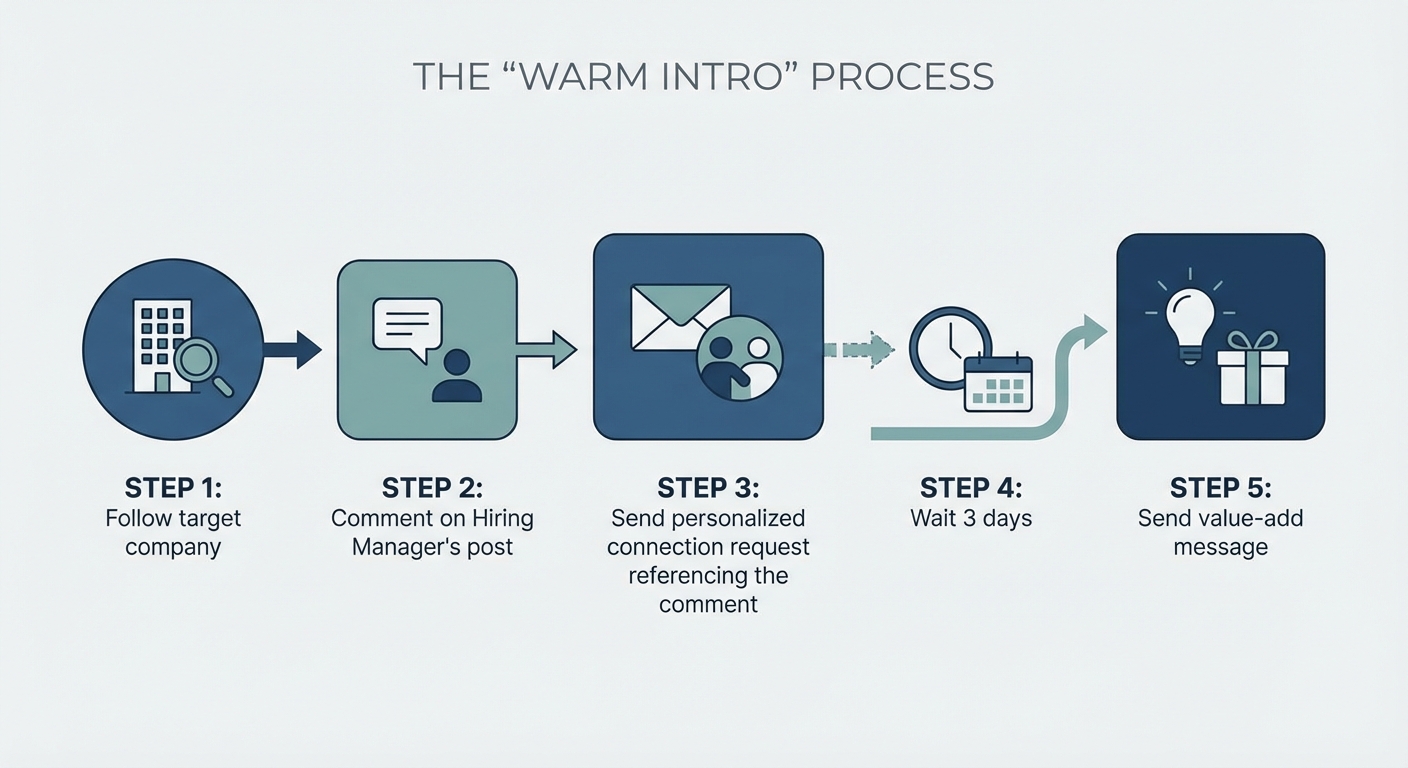
A flowchart showing the 'Warm Intro' process: Step 1: Follow target company. Step 2: Comment on Hiring Manager's post. Step 3: Send personalized connection request referencing the comment. Step 4: Wait 3 days. Step 5: Send value-add message.
Find the hiring team
When you see a job posting, don't just click "Easy Apply." Scroll down.
Does it list the poster? If yes, click their profile. If not, search for the company and look for "Talent Acquisition" or "Recruiter" in the employee list.
Reach out to them. Mention you applied. Keep it short.
According to the U.S. Department of Labor's CareerOneStop, online networking is critical for tapping into the hidden job market where opportunities aren't always advertised publicly. You have to go find them.
Are you looking for jobs in the wrong places?
The best jobs are often hidden behind bad job descriptions or buried in the feed. Using Boolean search strings helps you find opportunities that other candidates miss completely.
Our recent data shows 73% of hiring managers look at a candidate's LinkedIn profile before they even open the resume attached to the application.
So, your LinkedIn keywords need to be on point. But how you search matters too.
Use Boolean search
This sounds technical. It's actually simple.
You can use operators like AND, OR, and NOT in the main search bar.
- Example: "Project Manager" AND "SaaS" NOT "Intern"
- Example: "Writer" OR "Editor" AND "Remote"
This filters out the noise. You see exactly what you want.
The active vs. passive approach
There are two ways to use this platform. One is waiting. The other is hunting.
| Strategy | What You Do | Success Rate | Effort Level |
|---|---|---|---|
| The Sprayer | Rapidly clicking "Easy Apply" on 50 jobs a day. | Low (<2%) | Low |
| The Sniper | Tailoring your LinkedIn summary, engaging with 5 target companies, and messaging 3 recruiters. | High (15-20%) | High |
| The Brand | Posting content daily to attract inbound leads. | Variable | Very High |
Most people are Sprayers. Be a Sniper.
If you want to know what recruiters really look for, Harvard Business Review suggests focusing heavily on a comprehensive "Experience" section that mirrors your resume but adds more context.
Don't just copy-paste.
And speaking of resumes, once you have made a connection, you will need a document that seals the deal. Use our Resume Builder to create a clean, professional CV that matches the quality of your new LinkedIn profile.
Key Takeaways
- Optimize first: Fix your headline and ensure your LinkedIn summary contains the right keywords before you start applying.
- Don't be a robot: Personalized comments and messages always beat generic templates.
- Search smarter: Use Boolean operators to find specific roles that match your skills.
- Engage: The algorithm loves activity. Like, comment, and share to boost your visibility.
Using LinkedIn isn't about magic. It's about consistency. Update your profile today. Reach out to five people tomorrow. You might be surprised at who answers.
Ready to get that application ready? OneTwo Resume is here to help you cross the finish line.