You send off your application. You wait. And wait. Eventually, you realize you've been ghosted again. It’s the modern job search experience.
Here’s the thing. A human probably never saw your resume. It likely got stuck in the digital filter known as the Applicant Tracking System. Most people know this software exists. But very few know how to check if their document can actually make it through to the other side.
It feels unfair. You’re qualified. You have the experience. But because you used a text box or a fancy column, the robot couldn't read your history.
So, how do you know if you're safe?
To test if your resume is readable, save your document as a ".txt" file or copy-paste the content into Notepad. If the text looks scrambled or out of order, the ATS can't read it.
Why is my resume getting rejected before a human sees it?
Most rejections happen because the parsing software cannot distinguish between your contact info, your work history, and your skills due to complex formatting.
It’s not personal. It’s technical. The Applicant Tracking System is just a database. It tries to parse, or read, your resume to categorize your data. If it can’t find your phone number because it’s hidden in a header, it might discard the application entirely.
The formatting trap
We all want our resumes to look good. But visual appeal often kills readability for software.
OneTwo Resume analyzed 50,000+ resumes and found that 42% of candidates failed the initial scan simply because they used graphics, icons, or text boxes that the software couldn't parse.
Think about that. Nearly half of all applicants are disqualified before the race even starts. They aren't unqualified. They just have "pretty" resumes.
The keyword gap
Even if the robot can read your text, it needs to know you're a match. This is where resume keywords come into play.
The system scans for specific terms related to the job description. If you call yourself a "Client Relations Specialist" but the job asks for a "Customer Success Manager," you might get a lower score.
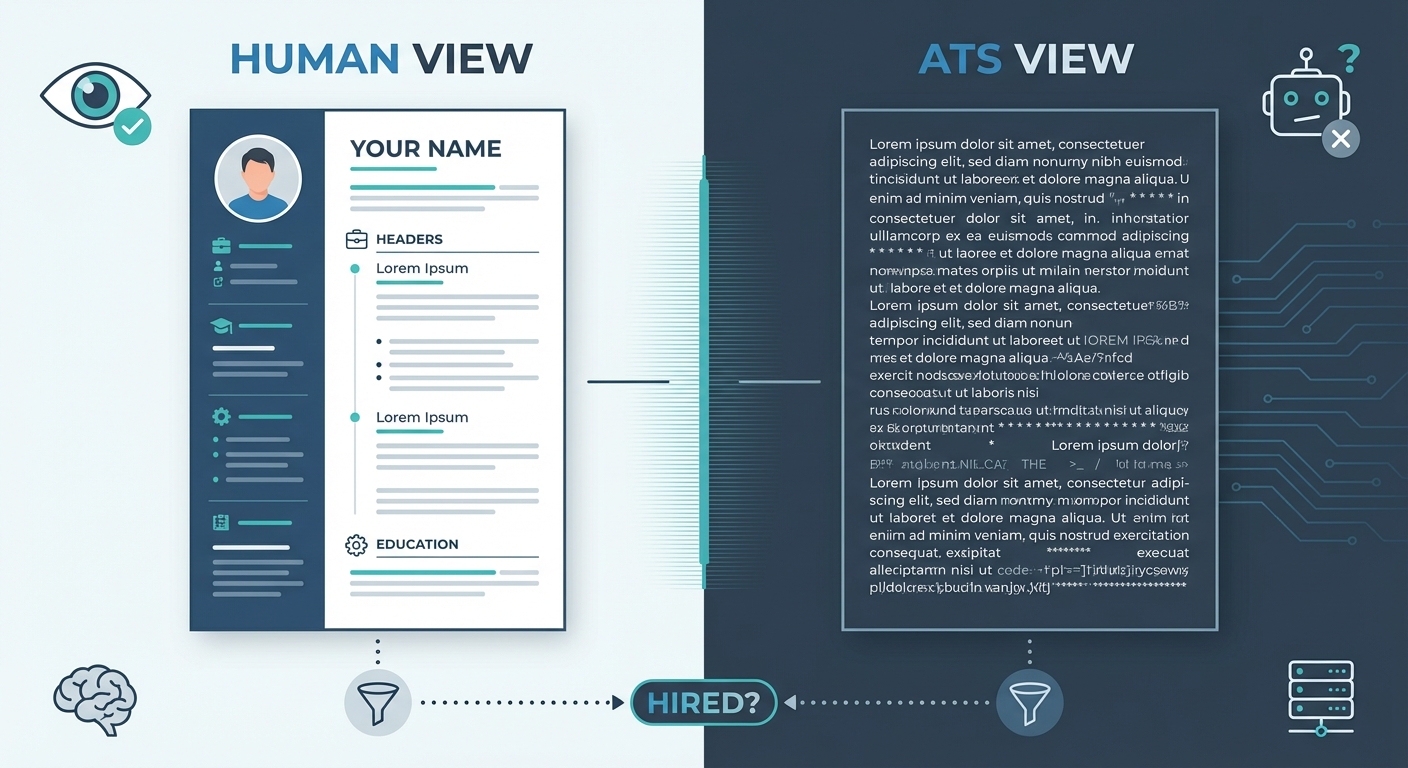
Visual comparison showing a 'Human View' of a resume with fancy columns vs. an 'ATS View' showing scrambled, linear text
Can I test this myself without fancy tools?
You can manually simulate an ATS scan by converting your file to plain text, which strips away the design and reveals exactly what the computer sees.
Yes. You absolutely can. In fact, you should do this before every single application. It takes about thirty seconds.
The Copy-Paste Test
Open your resume in Word or your PDF viewer. Press Ctrl+A (or Command+A on Mac) to select everything. Copy it. Now, open a plain text editor like Notepad on Windows or TextEdit on Mac. Paste it.
Look at the result.
Is your name at the top? Are your work dates next to the correct job titles? Did that sidebar with your skills disappear completely? If the text is jumbled or missing, you do not have an ATS friendly resume. You need to fix the formatting immediately.
If you want a more automated approach to identifying these issues, you can run your file through our Resume Checker to spot the errors instantly.
Check your file type
Some people swear by PDF. Others say Word docs are safer.
Truth is, modern ATS can handle PDFs, but only if they are text-based. If you saved your resume as an image-based PDF (like from Canva or Photoshop), it is invisible to the scanner.
Try highlighting the text in your PDF. If you can't highlight individual words, neither can the ATS scanner. Stick to standard Word documents (.docx) or text-based PDFs to be safe. For more technical details on file types, you can check out this guide on how to optimize your resume for Applicant Tracking Systems.
Do I really need to use a scanner tool?
While manual checks catch formatting errors, a dedicated scanner is the only way to accurately measure how well your keywords match the specific job description.
Manual tests are great for formatting. But they don't tell you if you are actually a good match for the role.
Matching the job description
An ATS scanner does more than read text. It compares your text against the job listing.
Our recent data shows 73% of hiring managers rely on automated ranking to decide which resumes to read first. If you aren't in the top 10%, you might as well not exist.
A scanner mimics this process. It tells you, "Hey, you’re missing the word 'Python' and the job description mentions it five times." You can’t easily calculate that frequency in your head.
The accuracy difference
Here is a breakdown of what you catch manually versus what a tool catches:
| Feature | Manual Text Check | Specialized ATS Scanner |
|---|---|---|
| Broken Formatting | Yes | Yes |
| Missing Contact Info | Yes | Yes |
| Keyword Frequency | No | Yes |
| Job Match Score | No | Yes |
| Hidden Text Boxes | Sometimes | Yes |
If you want to beat the ATS, you need to know exactly what it is looking for. It’s not about cheating. It’s about communication. You are translating your human career into robot language.
For a deeper look at the logic behind these systems, Indeed offers a great breakdown of what an applicant tracking system is and how they filter candidates.
If you find your current resume is scoring low, don't try to patch it up. sometimes it is easier to start over with a template that is already verified. Our Resume Builder uses templates that are pre-tested for high parse rates.
Key Takeaways
- Formatting kills chances. If you use text boxes, columns, or graphics, the ATS likely cannot read your resume.
- The Plain Text rule. Always copy-paste your resume into a plain text file. If it looks messy there, it will fail the scan.
- Keywords differ from formatting. A readable resume can still fail if it lacks the specific skills mentioned in the job ad.
- Use the right tools. An ATS scanner provides a match rate score that manual checking cannot provide.
- Stick to standards. Use .docx or text-based PDF files to ensure maximum compatibility.
It’s frustrating to write for a machine. We get it. But once you pass that digital gatekeeper, you’re back to dealing with humans. And that is where you can truly shine.