You’ve done the work. You updated your experience. You tweaked the summary. You hit “Submit” on that dream job application.
And then you wait.
Days turn into weeks. The silence is loud. It makes you wonder if a human actually saw your application or if it fell into a digital black hole.
Truth is, it probably did fall into a hole. It’s called the applicant tracking system (ATS). Most companies use this software to filter candidates before a hiring manager ever reads a single word. If your formatting is messy or you lack specific terms, you’re out.
But you don’t have to guess. You can fix this.
The most reliable way to test your resume is by comparing your document against a specific job description using an online scanner or by converting it to plain text to check for garbled data.
What actually triggers the ATS rejection?
Formatting errors and missing keywords are the usual culprits — not because a robot hates you, but because the software cannot parse the information into a digital profile or match it to the posting. There is no sourced percentage for this; see our ATS statistics source check.
Here’s the thing. The ATS isn’t an artificial intelligence overlord judging your career worth. It is a filing cabinet. A very picky filing cabinet.
When you upload your file, the system tries to strip the text and organize it into fields like "Education," "Experience," and "Skills." If you use complex design elements, the system gets confused. It might read your contact info as your job title. Or it might delete your work history entirely.
So before we even talk about skills, we have to talk about structure. An ATS friendly resume is boring. It uses standard fonts. It avoids headers and footers for critical info. It doesn’t have photos.
If you want to ensure your structure is safe from the start, you can use our Resume Builder which is designed specifically to keep code clean for these systems.
How can I manually check my resume for readability?
Copy and paste your entire resume into a plain text editor like Notepad; if the result looks jumbled, has missing sections, or weird characters, the ATS cannot read it either.
You don’t always need expensive software to run a diagnostic. The "Plain Text Test" is free. And it works.
Open your resume file. Select all (Ctrl+A). Copy it. Then open a basic text editor like Notepad on Windows or TextEdit on Mac. Paste it in.
Look at the result.
Is your name at the top? Are your work dates next to the right job titles? Did your bullet points turn into weird question marks? If the text is scrambled here, it will be scrambled for the recruiter. This often happens when people use creative templates from graphic design software.
Check out this breakdown of what usually survives the conversion versus what breaks it:
| Element | Safe for ATS | risky or Unreadable |
| :--- | :--- | :--- |
|---|---|---|
| File Type | .docx, .pdf (text-based) | .jpg, .png, Photoshop PDF |
| Layout | Single column | Multi-column, Text boxes |
| Fonts | Arial, Calibri, Roboto | Custom downloaded scripts |
| Lists | Standard circle bullets | Arrows, checkmarks, emojis |
| Headers | Standard H1/H2 tags | Text inside images/shapes |
If your manual check looks messy, simplify the document. You want the recruiter to see your value. They can't do that if the software can't read your file.
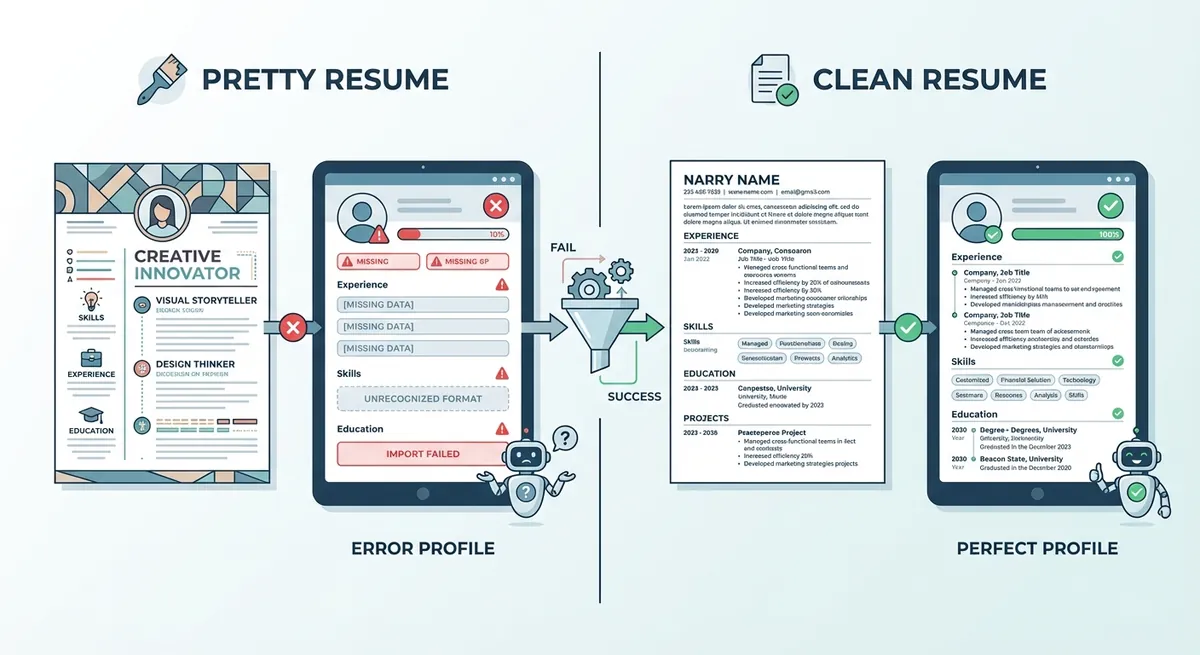
A split screen visual showing a 'Pretty' resume with graphics on the left being processed into an empty/error-filled digital profile, versus a 'Clean' resume on the right processing into a perfectly filled candidate profile
Which keywords are actually missing from my application?
ATS algorithms scan for exact matches of hard skills found in the job description, so generic buzzwords won't help your score if the specific technical terms are absent.
Okay, your formatting is clean. Now we need to talk about content. specifically resume keywords.
This is where many qualified people fail. You might list "Client Management" as a skill. But the job description asks for "Customer Success." To a human, those are nearly the same. To an ATS resume scanner, they are different.
You need to speak the language of the job post.
To find the right resume keywords, print out the job description. Take a highlighter. Mark every hard skill. Look for software names, certifications, and specific methodologies.
According to Indeed's guide on ATS resumes, you should place these keywords naturally throughout your work history, not just in a skills section. Context matters.
If you are below that threshold, you might not get the call.
But don't stuff keywords in white text. That is an old trick. It doesn't work anymore. In fact, Harvard Business Review warns that systems can flag this as manipulation, getting you banned from the company's database.
Instead, weave the resume keywords into your bullet points.
- Bad: "Good at coding."
- Good: "Developed front-end architecture using React and TypeScript."
If you want to see exactly how your document stacks up against a specific job description, run it through our Resume Checker. It highlights exactly what you are missing so you can fix it before applying.
Key Takeaways
- Keep it simple: Complex formatting is the number one reason resumes get rejected by software.
- Do the Plain Text Test: If you can't read it in Notepad, the ATS can't read it in their system.
- Mirror the language: Identify 3-5 critical resume keywords in the job description and ensure they appear in your document.
- Avoid tricks: Don't hide text or keyword stuff. It backfires.
- File type matters: Stick to Word documents (.docx) or text-based PDFs to be safe.
Getting past the bots isn't rocket science. It just requires attention to detail. Once you optimize your resume for the system, you ensure that a human actually gets the chance to see how great you are. And that is the whole point.