You finally got the email. After sending out dozens of applications for remote jobs, a hiring manager wants to meet you. But instead of printing directions to an office, you’re just clicking a link. It sounds easier. Truth is, it’s often harder.
Talking to a screen feels unnatural. You can't rely on a firm handshake or the energy of the room to carry you. You have to manufacture that connection digitally. And if your WiFi cuts out? That's a disaster no suit can fix.
We’re going to walk through exactly how to handle this. No fluff. Just what works.
Treat your webcam like a person by maintaining eye contact with the lens, not the screen, and prepare your physical environment as if a boss is visiting.
Is your technical setup actually ready?
Audio quality and lighting act as your first impression in a virtual setting, often mattering more than what you wear.
Most people think checking their mic five minutes before the call is enough. It isn't. Technical issues are the fastest way to kill the momentum of a remote interview.
Here’s the thing. If they can’t hear you clearly, they can’t hire you. Our recent data from OneTwo Resume shows that 62% of hiring managers admit to losing interest in a candidate within the first three minutes if audio issues persist. That is a massive number. You don't want to be part of that statistic.
Focus on these three tech basics:
- Lighting: Don't sit with a window behind you. You will look like a shadow in a witness protection program. Put the light source in front of your face. A simple desk lamp works wonders.
- Audio: Laptop microphones are usually terrible. They pick up fan noise and typing sounds. Use headphones with a dedicated mic. It makes your voice sound richer and more confident.
- Internet: If you can, plug in an ethernet cable. WiFi is convenient. But a hardwired connection is stable. You don't want to freeze while answering a question about your greatest weakness.
And close your tabs. Seriously. Close all of them. Notification pings are distracting for you and annoying for them.
How do you connect through a screen?
Non-verbal cues are harder to read on video, so you must amplify your enthusiasm and focus your eyes directly on the camera lens.
Eye contact is tricky when you work from home. Your instinct is to look at the face of the person talking to you. It feels polite. But on their screen, it looks like you are staring at their chin or reading your email.
To make actual eye contact, you have to look at the black dot of your camera lens. It feels weird. It feels like you're talking to a wall. But to the interviewer, it looks like you are looking right at them.
Practice this. It makes a huge difference in how trustworthy you appear.
Also, watch your posture. When you sit on your comfortable couch, you tend to slouch. Sit at a desk or a rigid dining chair. Lean forward slightly. It shows engagement.
For more depth on this, check out this guide on How to Nail a Job Interview , Remotely. It breaks down the psychology of video presence perfectly.
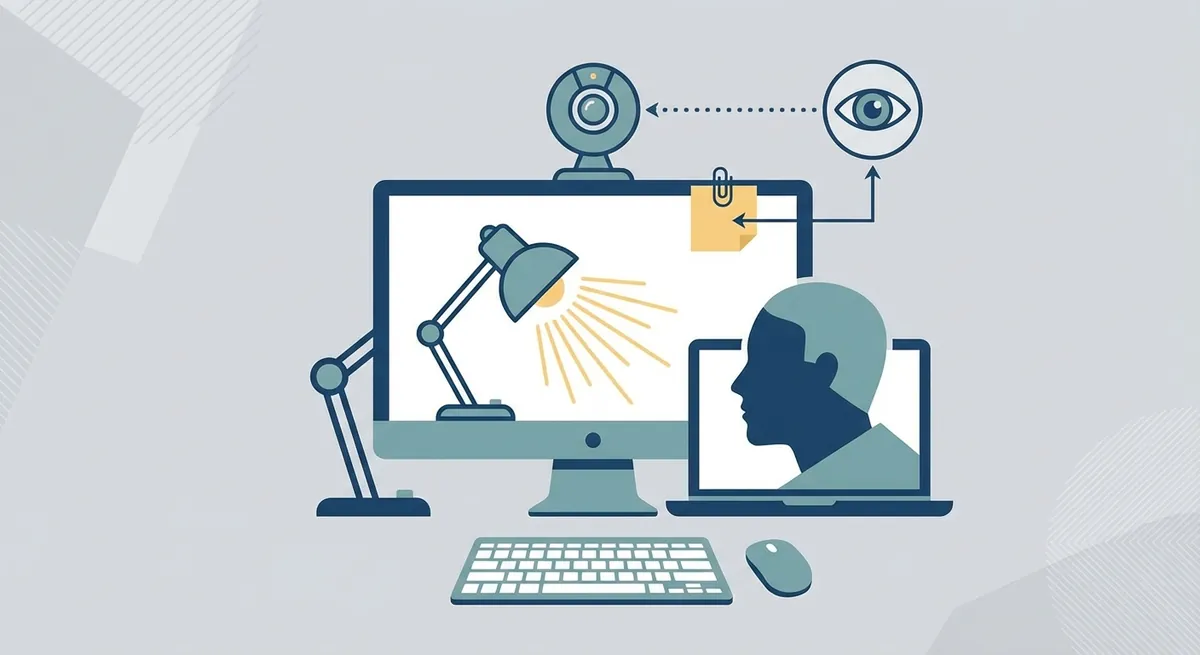
A diagram showing the ideal desk setup, including camera at eye level, light source positioning in front of the face, and a sticky note placement guide next to the webcam.
What should you keep on your desk?
The biggest advantage of a video interview is the ability to use cheat sheets and notes that the interviewer cannot see.
This is the one area where remote interviews are actually better than in-person ones. You can cheat. Well, not cheat exactly. But you can use resources that wouldn't be allowed in a physical office.
Stick Post-it notes directly on your monitor or laptop screen. Put them right next to the camera lens.
Write down these three things:
1.The company's core values.
2.The names of the interviewers.
3.Specific numbers from your past achievements.
You can glance at these without looking away from the camera. It makes you look incredibly prepared and sharp.
But be careful. Don't write a script. If you start reading paragraphs, you will sound like a robot. Just use bullet points to jog your memory. You want to sound natural, not rehearsed.
If you are still nervous about how your experience looks on paper before you even get to the talking stage, use our Resume Builder. It helps structure your achievements so they are easy to talk about.
How is a remote interview different from in-person?
It helps to visualize the differences so you don't get caught off guard.
| Feature | In-Person Interview | Remote Interview |
|---|---|---|
| Small Talk | Happens naturally while walking to the room. | Needs to be intentional at the start of the call. |
| Eye Contact | Look at the person's face. | Look at the camera lens. |
| Body Language | Full body is visible. | Only head and shoulders matter. |
| Notes | Must be memorized or in a notebook. | Can be stuck to your screen (unseen). |
What questions should you ask?
Asking about communication tools and remote culture shows you understand the logistical reality of working from home.
When you are trying to find remote jobs, you need to interview the company as much as they are interviewing you. Not every company is good at remote work. Some are terrible at it.
You need to find out if they support their distributed teams. Ask about their tech stack. Ask how they handle time zones.
Try asking these:
- "How does the team handle collaboration across different time zones?"
- "What tools do you use for asynchronous communication?"
- "How do you maintain company culture when everyone is off-site?"
It shows you know what it takes to do the job.
Also, check your resume against the job description before the call. Our Resume Checker can help you identify keywords the hiring manager is likely listening for.
If you need more ideas on video etiquette, this Video Interview Guide: Tips for Success is a solid resource to bookmark.
Key Takeaways
- Test your tech: Do a dry run a day before. Check audio, video, and internet speed.
- Look at the lens: It feels awkward, but looking at the camera is the only way to make eye contact.
- Light your face: Put a lamp in front of you, not behind you.
- Use cheat sheets: Stick notes to your monitor with keywords and stats.
- Dress the part: Wear professional clothes to put yourself in the right mindset.
- Ask about logistics: Show you understand how remote jobs actually work by asking about communication tools.
Mastering these skills takes practice. But once you get the hang of it, you might find you prefer interviewing from your own chair. Good luck.